Determining Custom_XXX-Propertynamen and EntityIds
1 min
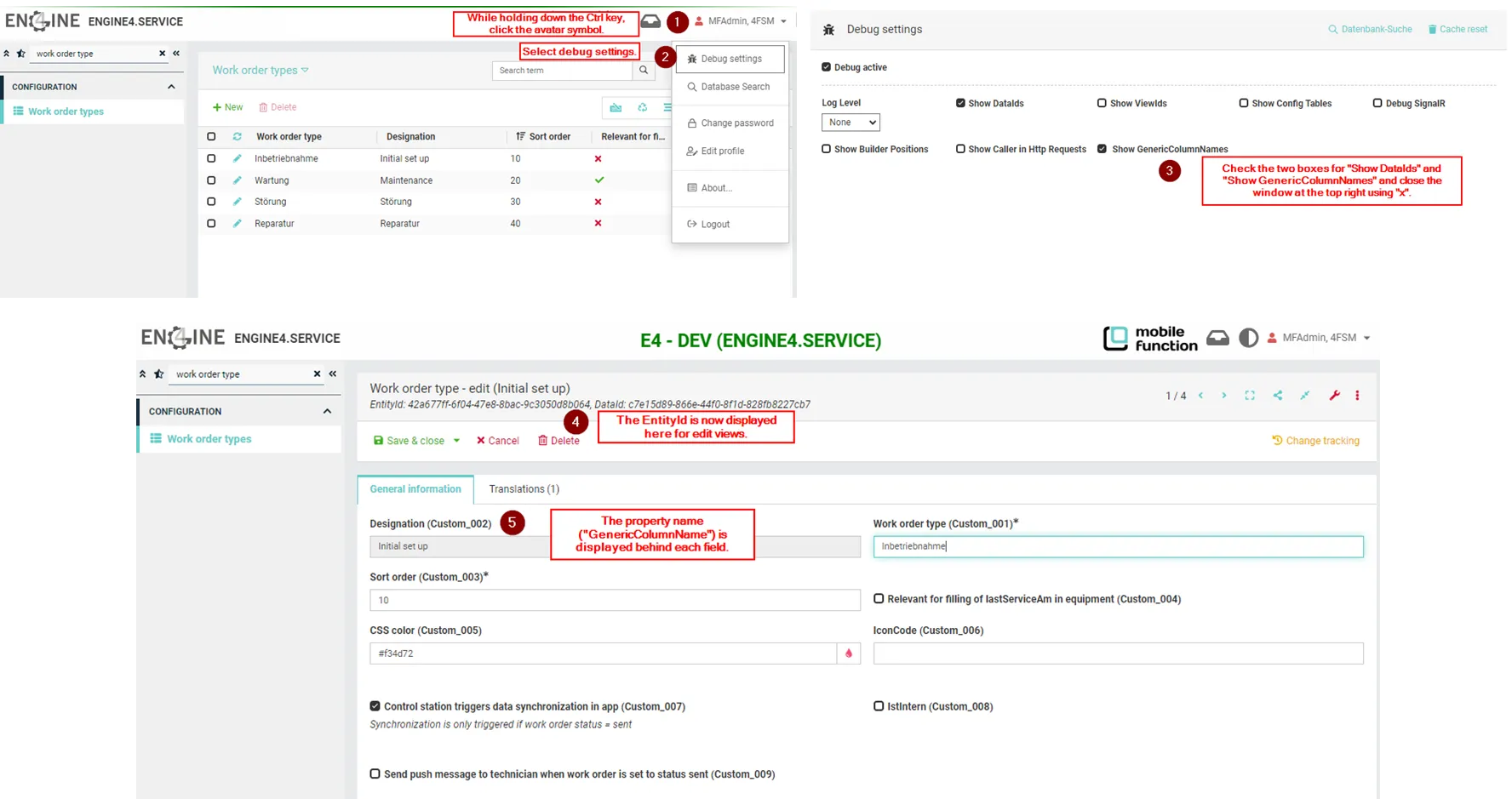
In addition to analyzing the Network tab in debug mode, the internal property names of fields displayed on the mask can also be conveniently read out:
- While holding down the Ctrl key, click the avatar symbol.
- Select debug settings.
- Check the two boxes for "Show DataIds" and "Show GenericColumnNames" and close the window at the top right using "x".
- The EntityId is now displayed here for edit views.
- The property name ("GenericColumnName") is displayed behind each field. Pressing F5 exits debug mode.